Running a small business on a tight budget? You're not alone. Most entrepreneurs think they need expensive software to compete with bigger players. But here's the truth: some of the most powerful AI tools are completely free.
In this guide, we'll show you the best free AI tools that can automate your workflows, boost productivity, and help you scale—without spending a dime. These aren't limited free trials or watered-down versions. These are legitimate, powerful tools that small businesses use every day.
Live AI Automation Metrics
See how small businesses are currently using free AI tools to transform their operations:
| Business Function | AI Application | Live Status | Business Impact |
|---|---|---|---|
| Customer Support | 24/7 Conversational Triage & Resolution | ACTIVE | |
| Marketing & Ads | Autonomous Bid & Copy Optimization | ACTIVE | |
| Operations | Automated Invoicing & Scheduling | ACTIVE | |
| Sales Outreach | Hyper-Personalized Lead Gen | ACTIVE | |
| Local SEO | Programmatic Location Pages | ACTIVE |
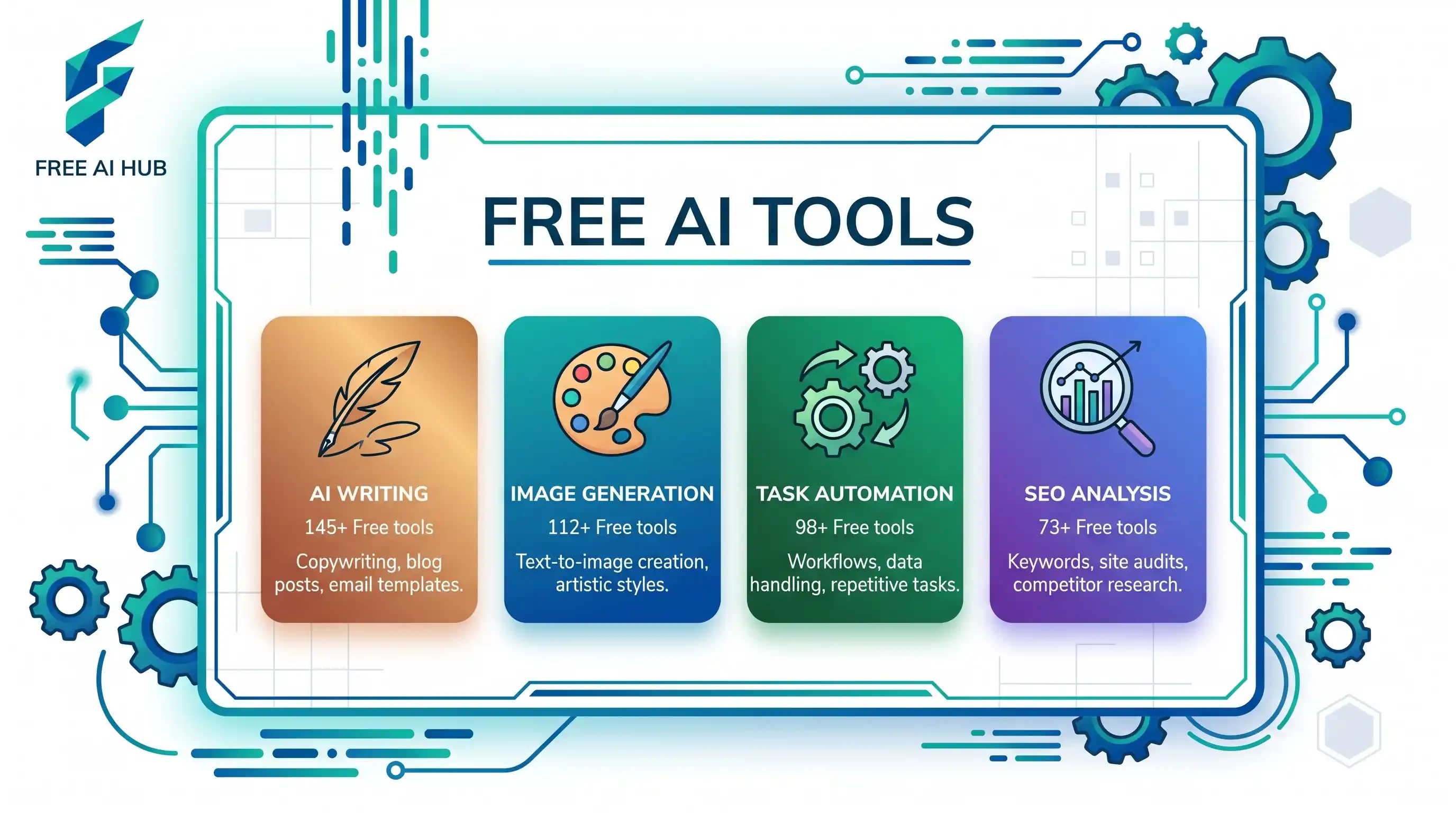
Best Free AI Tools by Category
📧 Communication
Handle emails and customer conversations automatically.
- ChatGPT (Free tier)
- Gmail Smart Reply
- Google Assistant
- Free email templates
Social Media
Schedule and create content without paying.
- Buffer (Free: 3 channels)
- Canva (Free design)
- Later (Free scheduling)
- Meta Business Suite
Productivity
Automate workflows and task management.
- Zapier (100 tasks/mo free)
- Notion AI (limited free)
- Google Workspace AI
- Trello automation
Design & Content
Create professional visuals and copy.
- Canva AI tools
- Leonardo.AI (free tier)
- Bing Image Creator
- Grammarly (basic)
💰 Finance
Manage money and track expenses.
- Wave Accounting (free)
- Google Sheets AI
- Receipt scanning apps
- Invoice generators
📈 Marketing
Grow your audience without ad spend.
- Google Analytics AI
- Mailchimp (free tier)
- AnswerThePublic
- Ubersuggest (limited)
How to Get Started (Without Spending Money)
Step 1: Identify Your Biggest Time Wasters
Before signing up for tools, track where you spend your time for one week. Common time-wasters for small business owners include:
- Responding to repetitive customer questions
- Creating social media content
- Scheduling appointments
- Data entry and invoicing
- Email management
Step 2: Start with These 3 Free Tools
Don't overwhelm yourself. Begin with these three game-changers:
- ChatGPT (Free): Handle customer emails, write content, brainstorm ideas
- Canva (Free): Create professional graphics, social media posts, presentations
- Zapier (Free tier): Connect your apps and automate simple workflows
Step 3: Stack Your Free Tools
Combine multiple free tools to create powerful workflows. For example:
- Use ChatGPT to write social media captions
- Use Canva to create the visuals
- Use Buffer (free) to schedule the posts
- Total cost: $0/month
Most free tiers are generous enough for solopreneurs and very small teams. Only upgrade when you've proven the tool saves you time or makes you money.
Understanding Free Tier Limitations
Free doesn't mean unlimited. Here's what to expect:
- Usage limits: Most tools limit monthly usage (e.g., 100 automations, 10 images)
- Feature restrictions: Advanced features require paid plans
- Branding: Some free tools add watermarks or branding
- Support: Limited or community-only support
For most small businesses starting out, these limitations aren't deal-breakers. You can always upgrade later when revenue allows.
Advanced Tips for Maximizing Free Tools
Create Multiple Accounts (Ethically)
Some tools allow multiple free accounts for different purposes. For example, you might have separate Canva accounts for different brands or projects.
Combine Free Trials Strategically
Many premium tools offer 14-30 day free trials. Use them for specific projects, then rotate to other tools. Just remember to cancel before billing.
Leverage Educational Discounts
Many AI tools offer free or discounted plans for students, nonprofits, or startups. Always ask!
Frequently Asked Questions
Are free AI tools really free forever?
Most free tiers are permanent but limited. Companies use them as a way to get you hooked, hoping you'll upgrade later. However, the free versions are often sufficient for small businesses with basic needs.
Is my data safe with free AI tools?
Reputable free tools (like Google, Microsoft, Canva) have strong security. However, always read the privacy policy. Never upload sensitive customer data or proprietary information to free tools.
Can I use free AI tools for commercial purposes?
Most free tiers allow commercial use, but check the terms of service. Some tools restrict commercial use on free plans or require attribution.
What happens if a free tool I rely on shuts down?
Always have a backup plan. Export your data regularly and don't build your entire business on one free tool. Diversify your tech stack.
Creating Visual Content for Free
Need professional images for your marketing? You don't need to pay for stock photos or expensive design software. Check out this comprehensive guide on best free AI image generators to create stunning visuals without spending a dime.
Key Takeaways
Next Steps
Ready to start automating your business for free? Here's your action plan:
- Pick ONE task that wastes your time (e.g., social media posting)
- Choose ONE free tool from this list to automate it
- Spend 30 minutes setting it up today
- Measure the time saved after one week
- Repeat with another task
Remember: the best tool is the one you actually use. Start small, prove value, then scale.