💼 AI Web Design · Portfolio Generation · Personal Branding
AI Tools for Portfolio Website Generation
2026 Guide
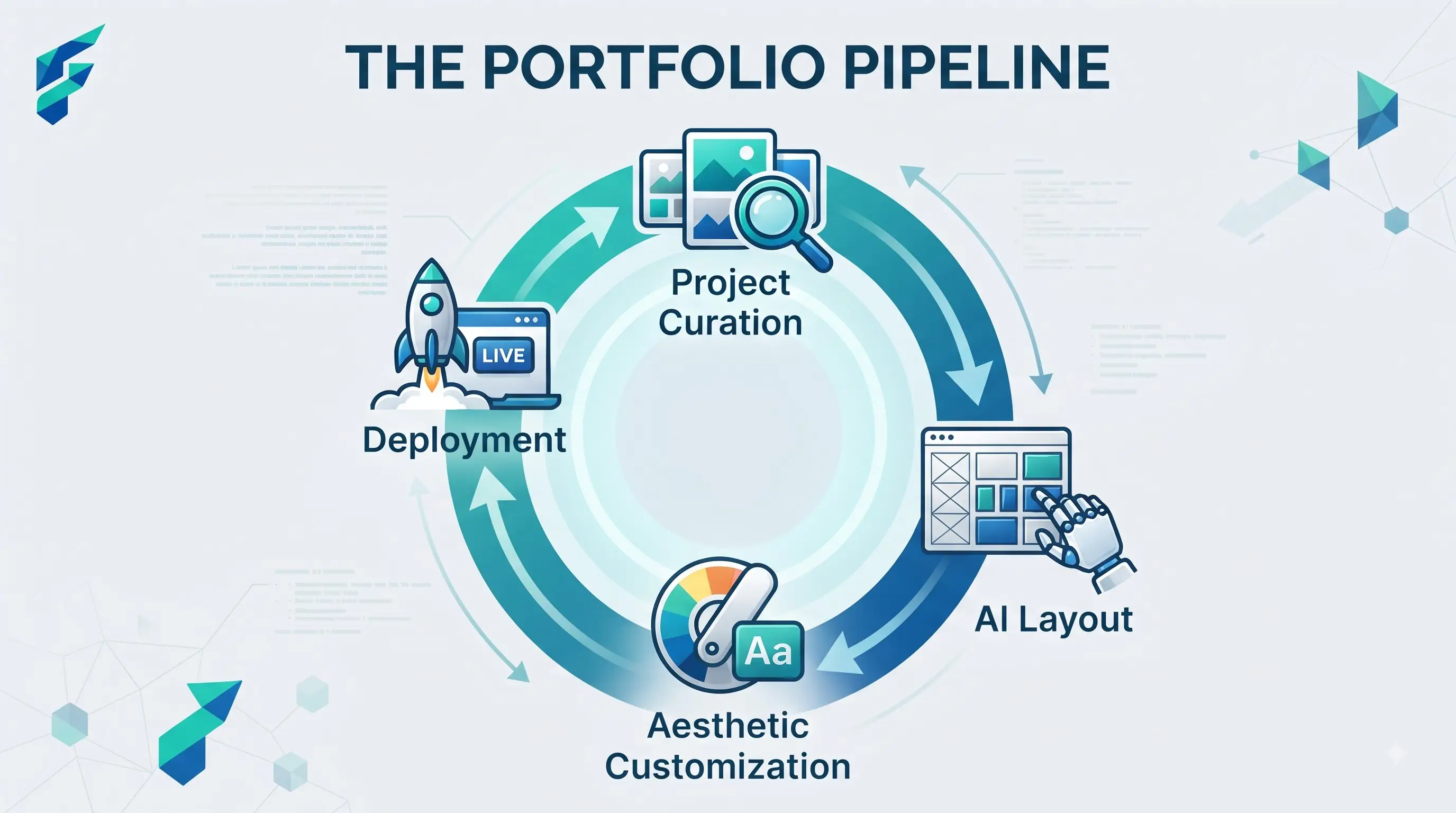
Upload your work, answer a few questions, get a full portfolio site in minutes — the setup is genuinely fast. What's easy to miss is that a site built entirely from default settings can end up looking nearly identical to a hundred other portfolios generated by the same tool, which is a problem when the whole point of a portfolio is standing out.
Quick answer: AI portfolio generators work well when you use them as a fast structural starting point and then customize the layout, typography, and case study framing to match how you actually want your work presented. They work poorly when you accept every default suggestion, since the tool's job is to produce something reasonable quickly, not something that specifically represents you.
What these tools actually need from you
A generator is only as good as the work you feed it. Upload a handful of finished pieces with no context, and you get a gallery grid with generic captions. Upload your best work along with a sentence of context for each piece — the problem it solved, your specific role, what made it hard — and you get case studies that actually explain your thinking.
For example, when I uploaded a UI redesign project and added the context: "Reduced checkout abandonment by 15% by simplifying the form from 5 steps to 2, specifically targeting mobile users," the AI generated a compelling case study narrative highlighting the problem, my specific UX intervention, and the measurable outcome, rather than just lazily stating "Redesigned checkout flow."
The templated-feel problem
Generate a portfolio with the tool's default theme and layout, and you'll notice it if you look at a few other sites built with the same tool: same hero section structure, same project card layout, same about-page format.
How to avoid it: treat the generated site as a starting structure, not a finished product. Push the layout choices further using the same principles covered in AI website design more broadly, and pay particular attention to spacing, type hierarchy, and color — the details covered in AI tools for UI/UX design that separate a site that looks custom from one that clearly used a default preset.
Where accuracy actually matters
An AI-generated portfolio can occasionally auto-write descriptions or summaries of your projects that overstate your role or misrepresent what you actually did — a "led the redesign" when you were one of three contributors, a client name pulled from context that isn't quite right. Since a portfolio is often the first thing a potential client checks claims against, review and correct every auto-generated project description yourself before publishing.
I once generated a portfolio site for a past agency project. The AI auto-wrote that I "led the end-to-end product strategy and design." In reality, I was the lead UI designer, while a different colleague handled the product strategy. If I hadn't caught and corrected that exaggeration, a hiring manager checking references would have immediately spotted the discrepancy, destroying my credibility.
Positioning considerations specific to this use case
A portfolio that just lists projects reads differently than one that makes a clear case for why someone should hire you specifically — the difference between a gallery and a pitch. This matters more for solopreneurs than for anyone with a team behind them, since the portfolio is often doing the entire job of convincing someone to reach out.
Where these tools genuinely save meaningful time
Freelancers and independent professionals who need a credible online presence fast — before a launch, before reaching out to new clients, before a job search — benefit most, since a generated structure gets the technical setup (hosting, responsive layout, basic SEO) out of the way in minutes instead of days.
Comparing your options
| Approach | Best for | Typical cost | Risk of looking templated | Customization effort |
|---|---|---|---|---|
| AI portfolio generator, defaults accepted | Fastest possible launch, low customization need | Free–low cost | High | Low |
| AI portfolio generator, heavily customized | Professionals wanting speed without the templated look | Free–low cost | Low, with real customization | Moderate |
| Fully custom-built site | Anyone needing a highly distinctive, unconventional presentation | Higher (time or cost) | Lowest | High |
Compare before you launch
Search the tool's name alongside "portfolio examples" and look at a few other sites built with it before you finalize your own — it's easy to overestimate how distinct your color and content choices actually are from the inside.
My workflow: generate the initial site structure with the AI, then manually rewrite every project title and description to ensure 100% accuracy, swap out the default hero image for a custom graphic or high-quality photo, and adjust the typography to match my personal brand. Finally, I search the generator's name + "portfolio" to ensure my site doesn't look identical to others. If you need help finding the right builder to start this process, check our Tool Finder filtered for website and portfolio tools.