🎬 YouTube · Study · AI Summaries
AI Tool to Summarize YouTube Videos for Free
(3 Routes + Checkable Prompts)
You have a 40-minute tutorial or a long talk, and you have 10 minutes. You can use AI to summarize a YouTube video for free. The method is simple: get the words of the video as text, give them to a chatbot, and ask for a summary you can check. The checking part matters most, because a summary can sound sure and still be wrong.
Three free routes to a YouTube video summary
All three start from the same idea: AI summarizes text, not pictures. So you need the spoken words of the video in some form.
- Route A: copy the transcript yourself. Open the video page and look in the description for a button like "Show transcript". Not every video has one, and the wording can change. If it is there, select the text and copy it.
- Route B: paste it into a free chatbot. Use a free chatbot such as ChatGPT, Claude or Gemini. Paste the transcript with a clear prompt (see below). Free plans have limits on message size, so a long transcript may need to go in parts.
- Route C: use a summarizer tool or browser extension. Some tools read the video for you and give a summary in one click. They are fast. Check the tool's own page for what it does with your data and what the free plan allows. Plans change, so we do not list any here.
Which route fits: a trade-off table
| Question | A + B: copy and paste | C: tool or extension |
|---|---|---|
| Speed | A few minutes of setup | Usually one click |
| Control | You choose the prompt and the format | Often a fixed style |
| Checking | Easy, you hold the source text | Harder if you never see the transcript |
| Privacy | You decide what you paste | Read the privacy page before you install |
| Free limits | Message length limits in the chatbot | Varies by tool and can change |
| No transcript | Route A fails | May still work, but the quality is unknown |
For study, we lean to A and B. You see the source text, so you can verify the result. Use C when you only need a quick idea of whether the video is worth watching.
A prompt that makes the summary checkable
A plain "summarize this" gives you a smooth paragraph you cannot trust or test. Ask for timestamps and short quotes instead. Then you can jump to the video and check.
Below is the transcript of a video called [video title].
Write a summary of the main points in [5] bullets.
After each bullet add the nearest timestamp from the transcript and one short exact quote (under 15 words) that supports it.
Use only what is in the transcript. If something is unclear, write UNCLEAR instead of guessing.
Do not add facts from outside the transcript.
[paste transcript]
The 3-check rule: pick at least 3 bullets, open the video at each timestamp, and listen for 20 seconds. If the quote is not there, or the meaning is different, do not trust the other bullets either. Ask again or read that part yourself.
Worked example: a 40-minute spreadsheet tutorial (fictional)
Meera is a student. She has a fictional 40-minute video called "Budget Tracking in a Spreadsheet" and a quiz tomorrow. She copies the transcript and uses the prompt above.
The chatbot gives five bullets. Bullet 2 says "use a pivot table to sum monthly costs" at 14:20. Meera opens 14:20 and hears the speaker say the pivot table is for categories, and that monthly totals come from a different formula. The quote does not match the claim. She fixes the bullet in her notes and marks the chatbot's other bullets as "checked 3 of 5". Two bullets were right on the first listen. One was half right. She corrected it.
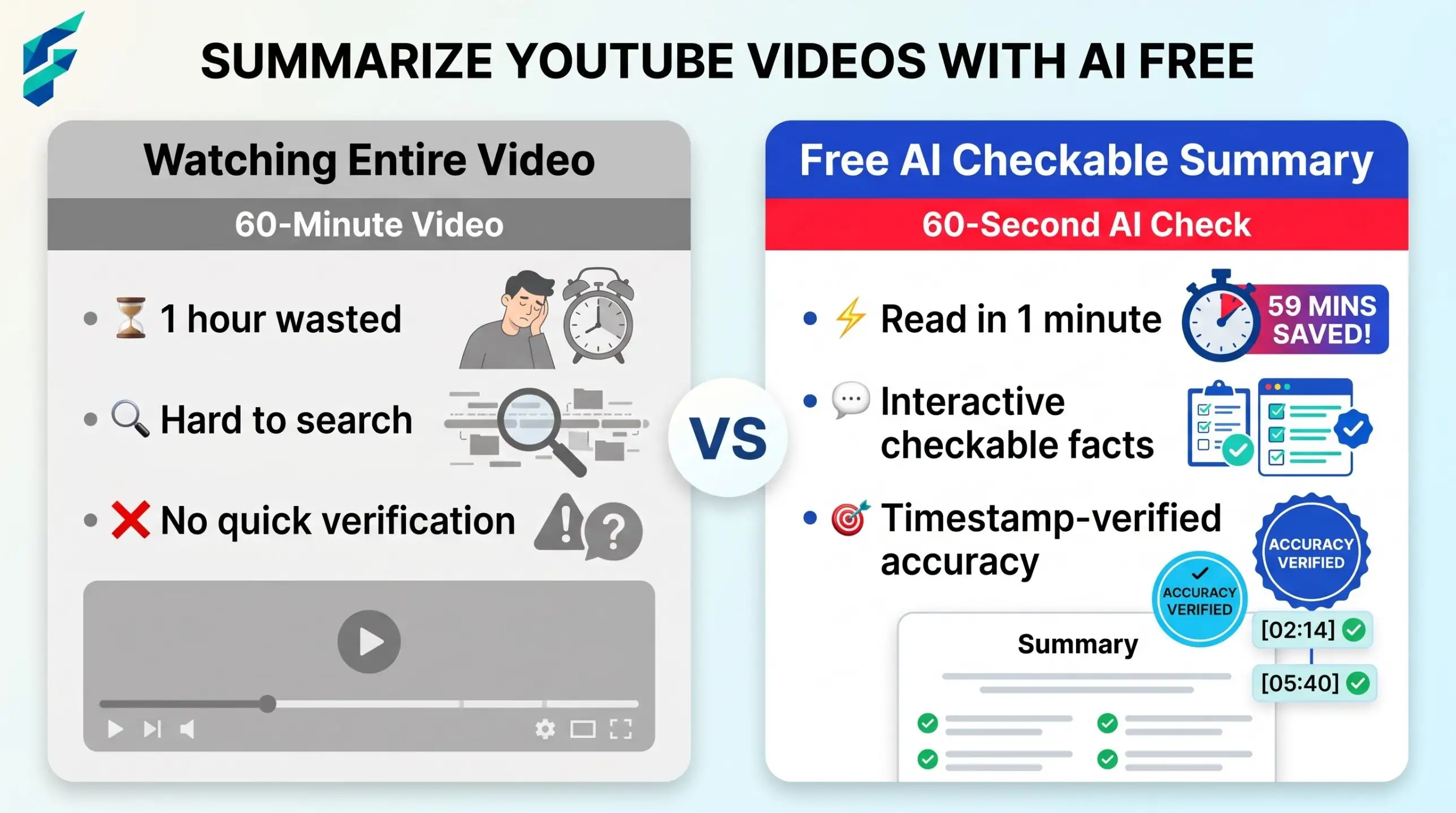
The check took about six minutes. Watching the whole video would have taken forty.
Summary, notes or action list: choose before you ask
| You want to... | Ask for | Good for |
|---|---|---|
| Decide whether to watch | A 3-sentence summary | Choosing between videos |
| Learn the topic | Notes with headings and key terms | Exams and study |
| Do the thing | An action list in order | Tutorials you must follow |
A tutorial summary is often useless if you want to follow along. An action list works better there. Just remember that every step needs a check against the video.
Long videos: split them into parts
A two-hour talk may be too big for one chatbot message, and long inputs can lose detail in the middle. Cut the transcript into parts of about 10 to 15 minutes each, summarize each part, then combine.
This is part [2] of [6] of a transcript from a talk about [topic].
Give me the 3 most important points of this part only, each with a timestamp and a short quote.
Then list any terms the speaker uses that I may need to look up.
[paste this part]
When all parts are done, paste your part summaries together and ask for one short overview. If you like to work from spoken recordings, the same idea fits calls and meetings, see AI meeting transcription tools.
No transcript, or the captions are wrong
- No transcript shown. Check the video description for chapters, or a link to notes from the creator. Chapters are a free summary skeleton.
- Auto captions with errors. Names, numbers and technical words are the usual problems. Tell the chatbot: "The transcript is automatic and may contain mistakes. Mark any number or name you are unsure about."
- Another language. You can ask the chatbot to summarize in your language, but check key terms by hand. For longer text help, see best AI translation tools.
What a text summary cannot see
The transcript holds only the words. It does not hold the screen. If a speaker says "click here, then drag this over there", the summary will say that, and you will not know where "here" is. Tone is lost too: a joke, a warning, or a "do not do this" said with a sigh can turn into a plain statement.
Watch out: for any video with a screen share, a demo or a diagram, treat the summary as a map, not the trip. Watch the demo parts at the timestamps the summary points to.
Fix list: weak summaries and what to do
| If the AI draft is... | Do this |
|---|---|
| Smooth but with no timestamps | Ask again with the checkable prompt |
| A quote you cannot find in the video | Delete that bullet and check the others harder |
| Too general ("the video discusses tips") | Ask for specific steps, numbers and examples from the text |
| Wrong names or numbers | Fix them from the video; captions may be at fault |
| Missing the demo steps | Watch those minutes yourself |
Using a summary without taking the creator's work
A summary for your own study is one thing. Posting it as your own article is another. The creator spent time on the video. Do not republish a summary as if you made the content. If you share notes, credit the creator by name and link to the video. This is not legal advice; if you plan to publish, check the creator's terms and the rules where you live.
When not to use AI for this:
Do not rely on a summary for medical, legal, tax or safety instructions, or for a video you will be graded on in detail. Watch the real video. If the video is only 5 minutes long, just watch it.
For summaries of your own documents and reports, see AI summarization tools for small business.