⚖️ Google AI · AI Mode
Google AI Mode
vs Google Search
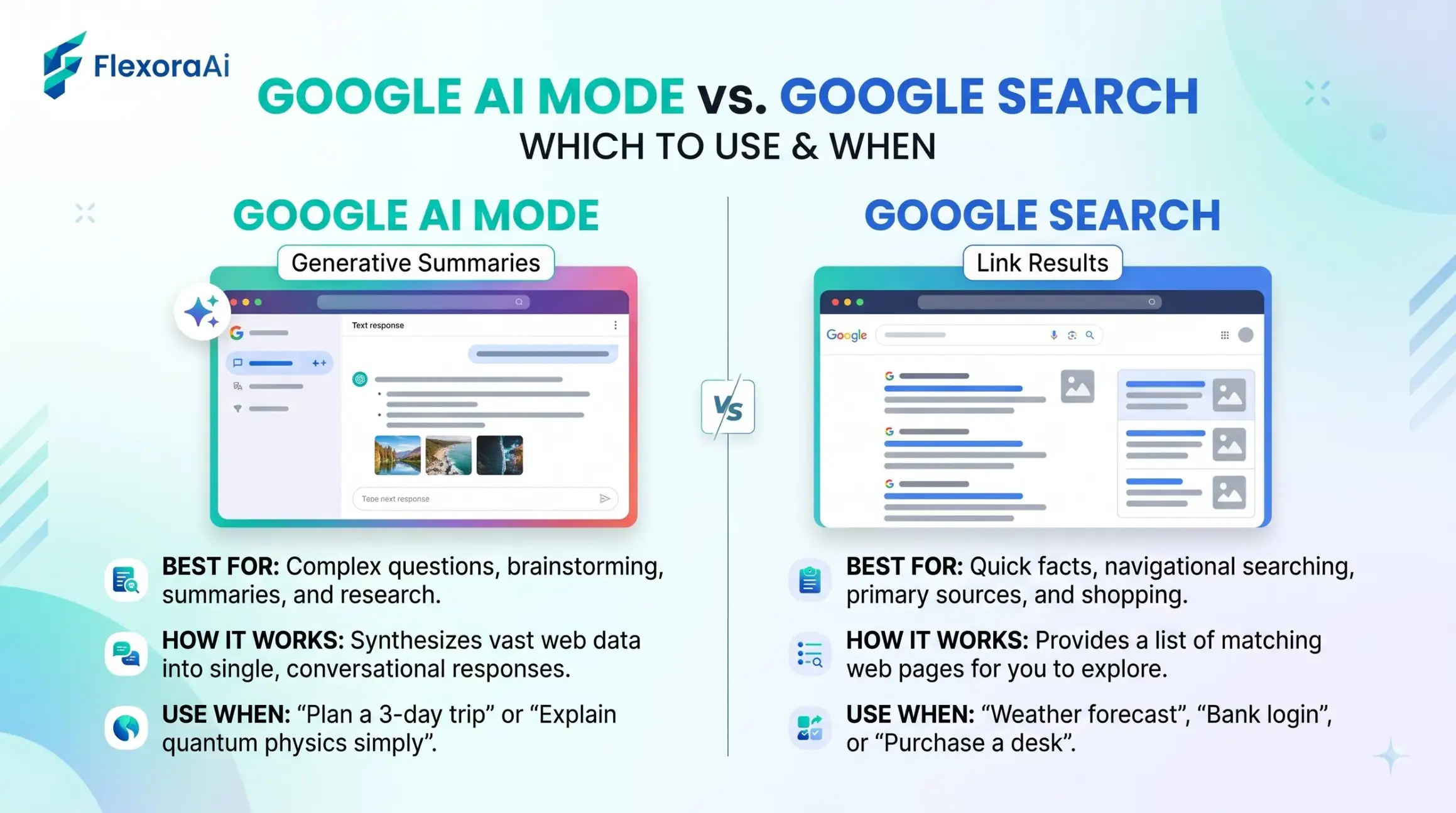
Google now has two different ways to answer a question. One gives you ten blue links and lets you decide. The other writes an answer and shows its sources. Neither is better at everything. This guide, part of our Google AI tools guide, explains how they differ and gives you a simple rule for choosing.
Short answer: Use regular Search for exact words, specific websites, local details and quick links. Use AI Mode for open-ended, multi-part questions where you want a written, cited answer and the chance to ask follow-ups.
Worth knowing
- AI Mode was announced in March 2025 and rolled out at Google I/O in May 2025.
- It runs many searches at once, a method called query fan-out, then writes one answer.
- Regular Search remains the best tool for exact matches and fast links.
Side by side
| Regular Search | AI Mode | |
|---|---|---|
| Output | A ranked list of links | A written answer with citations |
| Best for | Exact phrases, sites, local info | Complex, multi-step questions |
| Follow-ups | Start a new search | Ask in the same conversation |
| Control | Operators and filters | Natural language |
| Speed to a source | One click | Open the cited links |
How AI Mode works
AI Mode is built on Gemini. When you ask a question, it breaks it into smaller searches, runs them together, and combines the results into one answer. Google calls this query fan-out. It sits as a tab next to All, Images and News, so you choose when to use it.
AI Overviews are different. They're short summaries that Google adds above regular results without you asking. AI Mode is the longer, conversational version that you open on purpose.
A simple decision rule
- Do you know exactly what you're looking for? Use regular Search.
- Do you want to compare options or plan something? Try AI Mode.
- Do you need a specific page or document? Use operators in regular Search.
- Is the answer important? Open the sources either way.
Classic tricks like the ones in our complete list of Google Easter eggs still live in regular Search, not in AI Mode.
Examples
| Question | Better first choice |
|---|---|
| Weather today | Regular Search |
| The best way to compare three laptops for video editing | AI Mode |
| A PDF of a government report | Regular Search with filetype:pdf |
| A two-day itinerary for a rainy city | AI Mode |
| A definition | Regular Search with define: |
Staying careful
AI answers can be wrong, outdated or one-sided. Google has been changing how links appear inside AI Mode, which shows the product is still moving. Treat the answer as a draft, open at least two sources, and note the date.
If you'd like to compare AI tools beyond Google, browse our AI tool directory.
What each one does badly
| Regular Search | AI Mode | |
|---|---|---|
| Weak spot | You do the reading and comparing yourself | Can sound sure of itself when it's wrong |
| Good habit | Refine with operators and filters | Open the sources behind each claim |
| Risk | Ads and low-quality pages near the top | Mixing old and new information |
Knowing the weak spot of each tool tells you when to add a check. With regular Search, that means judging the source. With AI Mode, it means confirming the claim.
A practical example
Imagine you're choosing a laptop for video editing. In AI Mode, you can describe your budget, the software you use and how often you travel, then ask for three options and the trade-offs. In regular Search, you'd run several searches and open many tabs.
Now imagine you need the exact manual for a model you already own. Regular Search with the model name and filetype:pdf gets you there in seconds. The skill is choosing the right tool before you start.
What this means for the future
Google has said AI Mode is a place to try new search features before they spread to the main results, which makes it a useful preview. Expect the line between the two to keep moving. The habits in this guide, which are checking sources, using precise words and comparing results, will outlast any single interface.
If you work with websites or content, notice how often links appear in AI Mode answers, because that affects how people reach the sources behind them.
How we checked this: We used Google's March 2025 announcement as reported by 9to5Google, SE Ranking, SlashGear and Search Engine Roundtable for the launch and the fan-out method, and several 2026 explainers for how AI Mode relates to AI Overviews. AI products change quickly, so check dates and your own screen before you rely on any detail. If something here is out of date for you, email ownerflexora.ai@gmail.com and we will fix it.
Your turn: Ask the same question in regular Search and in AI Mode. Which one helped you decide faster, and which one did you trust more?
The smartest searchers use both, and they know when to switch.
More tricks to try
Ready to build with Gemini? The Google AI studio tutorial is next.