⌨️ Google Easter Eggs · Hidden Games
Google Text Adventure
Trick
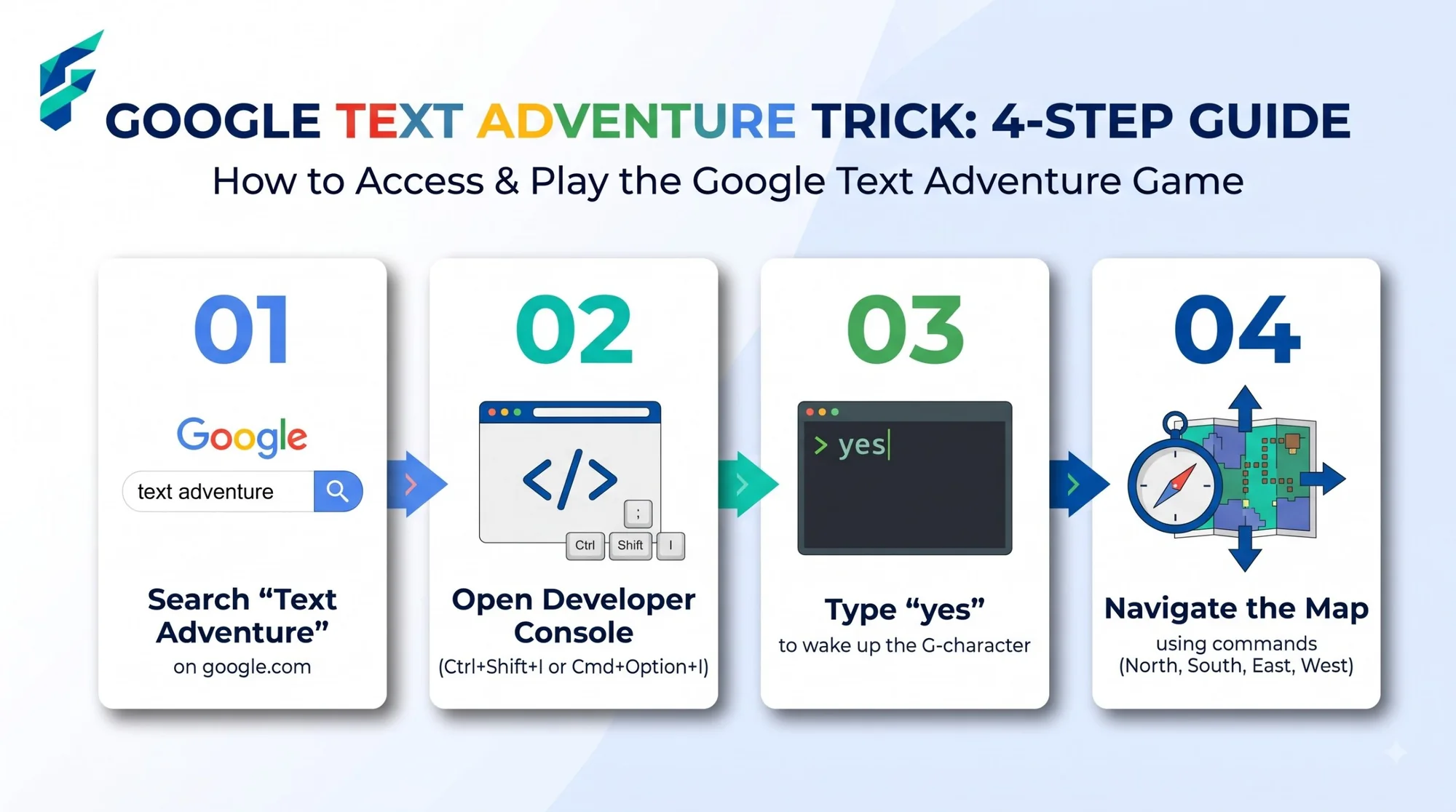
Most entries on our hidden Google games list are visual. This one is made entirely of words. In 2018 a Reddit user found a hidden text adventure in Google Search, a game in the style of Zork where you type commands and read what happens. It is one of the most unusual Google tricks, and it comes with a small lesson in how browsers work. Here is how to find it and how to stay safe while you play.
Quick answer: Search for text adventure on Google, then open the developer console on the results page. The game asks if you want to play. Type your answers and commands in the console.
Key takeaways
- A Reddit user found it in September 2018, and it plays in the developer console.
- You play the big blue G from the Google logo, looking for your friends.
- Only type game commands in the console. Never paste code from strangers.
How to find the game
- Use Google in English on a desktop browser. Coverage said Chrome worked best, and other browsers could be glitchy.
- Search for text adventure. The phrase text game was also reported to work.
- Open the developer console. Press Ctrl+Shift+J on Windows or Cmd+Option+J on Mac, or right-click the page, choose Inspect and open the Console tab.
- Answer the prompt. The game asks whether you want to play. Type yes and press Enter.
If you type no, the game answers with a cheeky "Fine, be that way," so it is worth saying yes at least once.
What the game is like
It is a short, original adventure in the tradition of Zork and The Hitchhiker's Guide to the Galaxy. You play the big blue G from Google's logo, searching the Google campus for your friends, the red o, the yellow o, the blue g, the green l and the quirky red e. You type commands, and the game tells you what happens.
| Try typing | What it does |
|---|---|
| north | Moves you in a direction. |
| grab | Picks up an item you find. |
| use | Uses something you are carrying. |
| inventory | Shows what you are carrying. |
| quack | Triggers a joke reaction. |
Text adventures are among the oldest video games, and Google's version is a loving nod to them. It shares a spirit with the other nerdy references in our complete list of Google Easter eggs.
Stay safe in the console
The developer console is a powerful tool, and that is why browsers warn you about it. Typing a game command is harmless. Pasting code that someone else gave you is not, because it can run actions on your account. Treat the console as a place to read and play, not a place to paste unknown scripts.
Tips for a better run
- Keep commands short. One verb or direction at a time works best.
- Check your inventory. Knowing what you carry tells you what you can use.
- Explore every direction. Dead ends are part of the genre.
- Take notes. A quick sketch of the map helps in any text adventure.
- Compare it with page tricks. If you want something that reacts to your mouse instead, see the Google gravity and underwater tricks guide.
How we checked this: We read the original coverage from TechCrunch, TechSpot and Fox News, plus follow-ups such as Big Think. We have not confirmed that the game still runs in 2026, so test it yourself, and expect differences by browser and language. Spotted something out of date? Email ownerflexora.ai@gmail.com and we will update the guide.
Your turn: Play through once, then try to finish with a different route. Write down the commands that surprised you and see if a friend can find a quicker way.
More hidden games to try
When you want a game that needs no typing at all, the Google tic tac toe trick is next in the series.
Frequently Asked Questions
For the original write-up on how to play, read TechCrunch's 2018 guide.