⏪ Google Easter Eggs · Retro Google
Google Time Machine
Trick
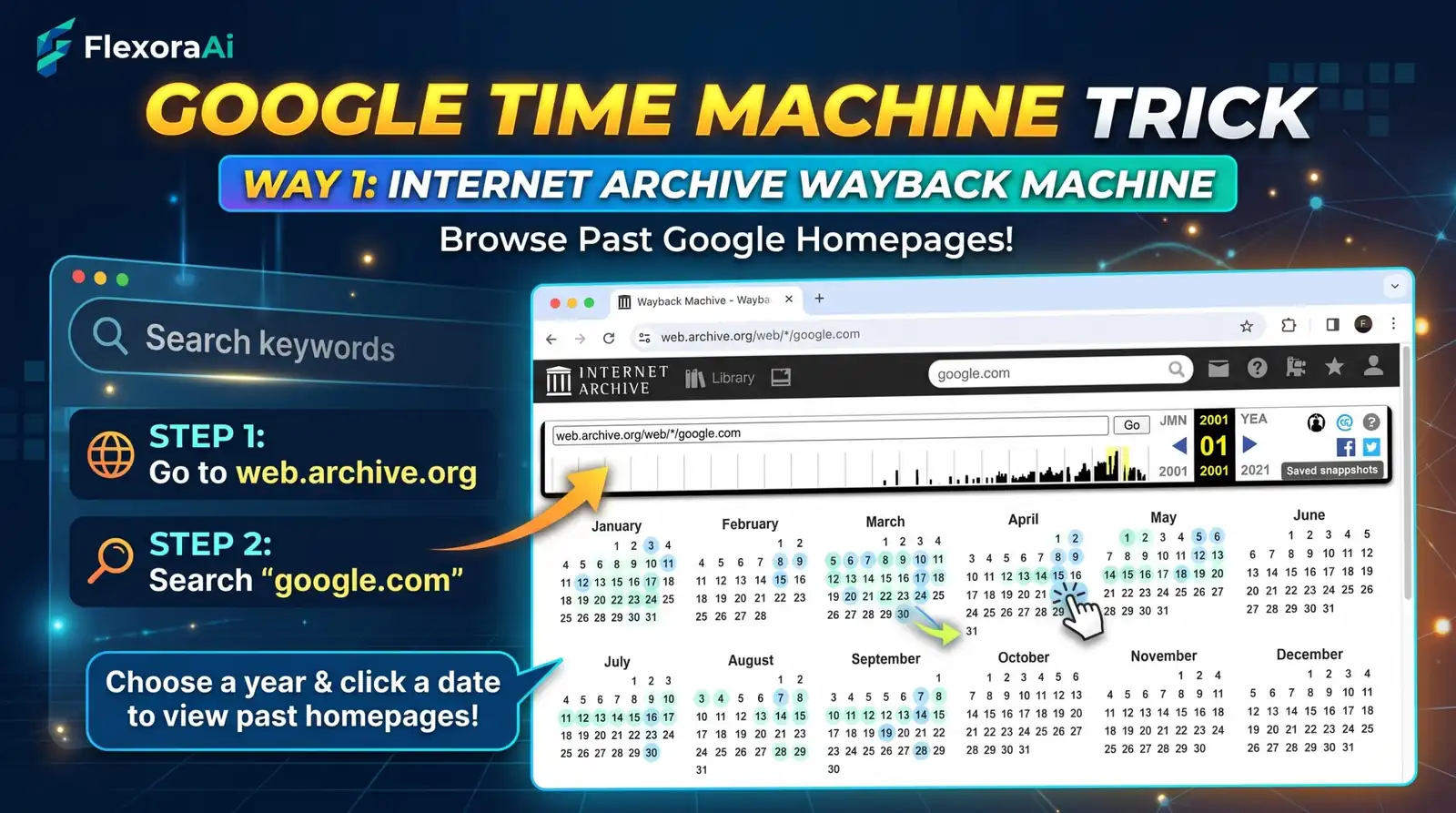
There's no button in Google labelled "time machine." But there are at least five ways to travel backward, some built by Google, some borrowed, and one that only arrived in September 2024. This guide, part of our retro Google tricks guide, shows you which to use for which kind of trip.
Short answer: To browse Google's past, combine five tools: the Google in 1998 Easter egg, the Wayback Machine link in "About this result," the Wayback Machine itself, the date-range filter in Search and Google's Doodle archive. Each one shows a different kind of past.
Worth knowing
- Google retired its own cached pages in early 2024 and now points to the Internet Archive.
- Since September 2024, many search results offer a link to older versions of a page.
- No single tool covers everything, so pick by what you want to see.
Which tool shows what?
| Tool | What you see | Catch |
|---|---|---|
| Google in 1998 egg | The 1998 look of the results page | Visual only, not a real search. |
| "About this result" link | Older versions of the page you searched | Not on every result. Available since September 2024. |
| Wayback Machine | Snapshots of web pages by date | Gaps, and missing images in older captures. |
| Date-range filter | Results from a chosen period | Shows pages, not how Google looked then. |
| Doodle archive | Past Google logos and Doodles | Covers the logo, not the whole page. |
How cached links gave way to the Wayback Machine
For years, every Google result carried a small "Cached" link that showed the page as Google had saved it. In early 2024, Google Search Liaison Danny Sullivan confirmed it had been retired. He called it one of Google's oldest features and said it was built for a time when pages often failed to load. He added that he hoped Google could point to the Internet Archive instead.
That happened in September 2024. Google added links to earlier versions of pages from the Internet Archive's Wayback Machine inside its "About this result" panel. It isn't a perfect replacement, because the old cache showed a page as Google saw it, but it's the closest official route to the past.
These small shifts are part of the story told in our complete list of Google Easter eggs.
How to see an older version of a page
- Search for the page and click the three dots next to its result.
- Open More about this page.
- Choose the option to see previous versions on the Internet Archive, if it appears.
- Pick a date on the calendar and open a snapshot.
When to use each one
- You want the look: try the Google in 1998 Easter egg.
- You want a specific page's history: use the About this result link or the Wayback Machine.
- You want what people said then: use the date-range filter under Search tools.
- You want old logos: browse Google's Doodle archive.
More habits like these are collected in our Google search tricks list.
What the past can't show you
Archives are patchy. Snapshots depend on when a crawler happened to visit, images and scripts are often missing, and some pages were never saved at all. Treat a snapshot as a clue, not a perfect record.
Save your own snapshot
The Wayback Machine doesn't only show old pages. It lets you save a page right now, and its browser extension adds features for saving pages and restoring missing ones, most of which work without an account.
- Open the page you want to keep.
- Use the Wayback Machine's save feature or its extension.
- Wait for the confirmation and copy the archive link.
- Store the link with the date, so you can show what the page said that day.
A simple research routine
The Internet Archive says it holds more than 28 years of web history, which makes it the backbone of most past-looking research. A routine helps you use it well:
- Find the claim or page you're curious about.
- Use the date-range filter to see what was published around that time.
- Open a Wayback snapshot to see the page itself.
- Write down the URL and the snapshot date, so others can check your work.
How we checked this: We used Search Engine Journal and TechSpot for the cached-link retirement, Digital Trends for the Wayback Machine option in About this result, and Search Engine Watch for the 1998 egg. Menu labels in Search change over time, so yours may differ. If something here is out of date for you, email ownerflexora.ai@gmail.com and we will fix it.
Your turn: Pick a page you remember from years ago and look it up in the Wayback Machine. Note what looks different, and what feels exactly the same.
The best time machine in the end is curiosity, and these tools just make the trip shorter.
Where to go next
Ready to see how Google handled the turn of the century? The Google Y2K homepage trick is next.
Frequently Asked Questions
For the full story on the cached-link change, read Search Engine Journal's report.