📅 Operations · AI Productivity · Small Business
AI Tool to Book Appointments for Small Business
(Free)
Booking by message is slow. A customer asks for Tuesday. You say Tuesday is full. They ask for Wednesday. Ten messages later, they forget to come. This article shows a simple fix that costs nothing to start.
Who does which job
People ask for one "AI tool to book appointments". In practice, two things do two jobs.
| Job | Who does it |
|---|---|
| Holds the calendar, shows free times, stops double booking | A booking tool |
| Writes confirmation, reminder, reschedule and no-show messages | An AI chatbot (ChatGPT, Claude or Gemini) |
| Writes the questions you ask before the visit | An AI chatbot |
| Decides your rules, prices and times | You |
Do not expect the chatbot to hold your calendar. It cannot see your real free times. And do not expect the booking tool to write warm messages. Use each for what it does well.
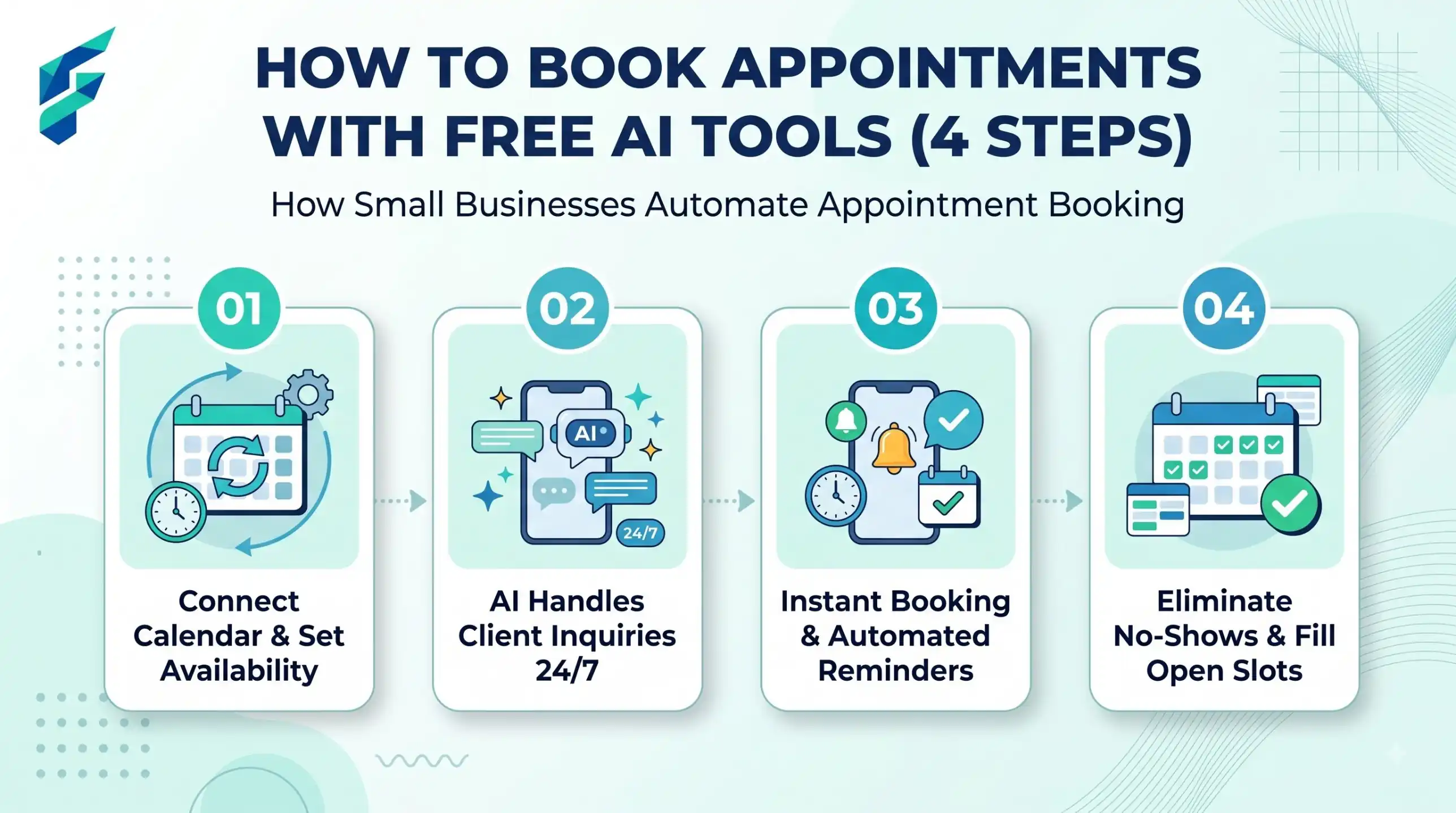
A 30-minute setup plan
| Minutes | Action |
|---|---|
| 0-5 | List your services and how long each takes |
| 5-10 | Write your working hours and breaks. Add a gap between visits |
| 10-15 | Choose a free booking tool (see the checklist below) and add services and hours |
| 15-25 | Use the prompts below to write your messages. Paste them into the tool |
| 25-30 | Book a test appointment with a friend. Check what the customer sees |
Google Calendar has an "appointment schedule" feature. Whether you can use it depends on your account type, so check your own account to see what you have. Do not assume your account has it.
Real-world example: For my own freelance web design business, my real service list is: "Initial Consultation (30 mins)", "Website Audit (1 hour)", and "Full Website Build (2 weeks, with weekly check-ins)". Defining these exact durations upfront stopped the endless back-and-forth messaging about availability.
What to check in any free booking tool
Free plans differ and change often. Look at the tool's own site and settings before you commit. Use this table.
| Question | Why it matters |
|---|---|
| Does it send reminders? | Reminders are the main way to reduce no-shows |
| Can customers reschedule or cancel alone? | Saves you messages |
| Does it sync with your calendar? | Stops double booking |
| How does it store customer data? | You are responsible for your customers' details |
| Are there limits on bookings? | A free plan may stop at a number you reach quickly |
| Can you edit the message text? | You want your own voice, not a stiff template |
If you cannot find an answer, ask the tool's support before you give the link to customers.
Prompt: a reminder sequence in your voice
I run a [business type] called [name]. My customers are [who]. My style: [friendly / calm / formal].
Write three short messages for an appointment:
1. Confirmation (sent right after booking)
2. Reminder 24 hours before
3. Reminder 2 hours before
Include these placeholders: [customer name], [service], [date], [time], [address], [how to reschedule].
Each under 40 words. Plain English. Do not add rules I did not give you.
My example of how I normally write: "[paste 2 real messages you sent]"
Paste the first example from your real chats so the AI copies your tone. Add the placeholder text into your booking tool's message boxes, if it lets you edit them.
Prompt: kind no-show and late policy
Write a short, kind policy for a small [business type].
My real rules: [e.g. please tell me 24 hours before if you cannot come; if you are more than 15 minutes late I may need to shorten the visit; fee, if any: [ADD]].
Write it in 4 sentences. Friendly, not scary. Do not invent a fee or a rule I did not list.
Then write a one-sentence version for the booking page.
Only add a fee if you will really charge it. A rule you do not follow teaches customers to ignore your rules. Check any local consumer rules that may apply to deposits or fees.
Prompt: intake questions
I offer [service]. Write 4 short questions I should ask when someone books, so I am ready for the visit.
Do not ask for private health, ID or payment details. Keep each question under 12 words.
Ask only what you need. Every extra question makes people leave the form.
Worked example (fictional)
This is invented. "Rina" runs a small tailoring studio. Customers book fittings by message and about one in five does not show up.
Before: many messages to fix one time.
After: Rina puts a booking link in her bio. Each booking gets a confirmation and two reminders written by AI in her voice. Her reply to a reschedule request becomes: "Thanks for telling me. Please pick a new time here: [link]."
One reminder, edited by Rina: "Hi [name], your fitting is tomorrow at [time] at [address]. Please bring the dress. Cannot come? Tell me today and pick a new time here: [link]."
Nothing in this example is a result or a statistic. It shows the shape of the system.
If the AI gives you this, do this
| Problem | Fix |
|---|---|
| The reminder sounds cold | Paste two of your real messages and say "match this voice" |
| It writes a fee you never set | Add "do not mention any fee" |
| Messages are too long to read on a phone | Add "under 30 words, one line for the time" |
| It invents a cancellation rule | List your exact rules and say "use only these" |
| It says "click here" with no link | Keep the placeholder [how to reschedule] and fill it in yourself |
Related reading
If you also manage staff times, see our guide to AI staff scheduling tools for small business. If you want help with your wider daily tasks, read about AI personal assistant tools for small business.
When NOT to use AI for this:
Do not let AI decide who gets a time, or who pays a fee. Do not use a copied message to refuse someone, handle a complaint or explain a medical, legal or safety problem. Write those yourself. And never paste customers' phone numbers or private details into a chatbot.
FAQ
To send the confirmation and reminder messages in your own voice, see how to write WhatsApp Business messages with AI.