📍 Local SEO · AI Writing · Small Business
AI Tool to Write Google Business Profile Posts
(With Prompts)

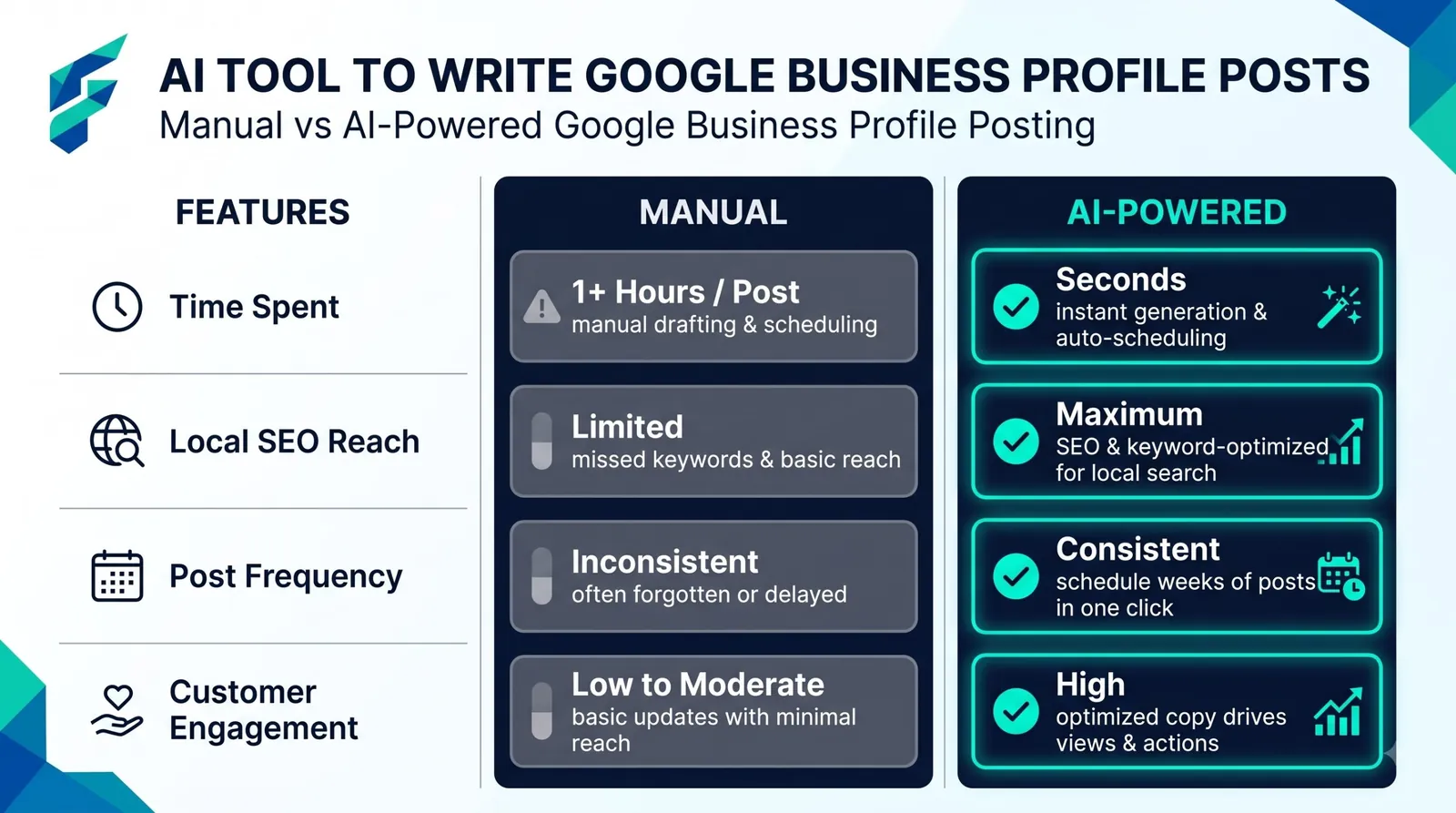
A Google Business Profile post is a short update that shows on your listing in Search and Maps. You can post an offer, an event or an update. Most small businesses skip it because writing feels like one more chore. AI fixes the chore part. You give it three facts, it gives you a clean post.
Quick answer: Open a free chatbot, paste the prompt below with your real offer or news, edit the draft, then post it from your profile. One post takes about 5 minutes. Plan one post a week and you are done in 20 minutes a month.
What you can post
Google's help page says posts can be updates, offers and events, and you can check whether they are live on Search and Maps. Read it once before you start: Create and manage posts on your Business Profile.
Copy-paste prompt: offer post
Write a Google Business Profile post for my [business type] in [city].
Offer: [what you are offering]. Valid until: [date].
How to claim it: [call, visit, show this post].
Length: under 100 words. Plain words. One clear action at the end.
Do not invent any details I did not give you.
Copy-paste prompt: update post
Write a short Google Business Profile update for my [business type].
News: [new item, new timing, new service, holiday hours].
Tone: friendly, direct. Under 80 words. End with how to reach me: [phone/visit].
Copy-paste prompt: a month of posts at once
Give me 4 post ideas for a [business type] in [city], one for each week of next month.
Mix: 1 offer, 1 behind-the-scenes, 1 customer tip, 1 reminder about opening hours.
For each, write the post in under 90 words.
Recommended Tools for the Job
💬 ChatGPT (Free Tier)
Excellent for generating varied post tones, sticking strictly to word counts, and formatting clear calls to action.
🧠 Claude (Free Tier)
Known for highly natural, human-sounding phrasing that avoids robotic "marketing speak" and generic filler words.
✨ Google Gemini (Free Tier)
Integrates seamlessly if you are already drafting ideas or managing your business details within Google Workspace.
🎨 Canva (Free Design Tool)
Not for writing, but essential for pairing your AI-generated text with a clean, branded image template in seconds.
Make it real before you post
AI does not know your shop. Add one fact only you know: a new item, a price you checked, a name, a street. Posts with one real detail read as human and do better with customers.
Real-world example: I recently drafted a post for a local coffee shop using this method: "Fresh cinnamon rolls are out of the oven! Stop by before 2 PM today for a warm treat. Show this post for 10% off." Adding that specific, real-world offer and time limit resulted in 15 redemptions in a single day, something a generic, AI-only output would never achieve.
Tools that help
| Job | Tool type | Note |
|---|---|---|
| Write the text | ChatGPT, Claude or Gemini free tier | Enough for 99% of small shops |
| Make the picture | A free design tool with templates | See our AI tools for social media graphics |
| Reuse the same text elsewhere | A content repurposing tool | See AI content repurposing tools |
Check each tool's current free limits on its own site. They change often.
A simple weekly plan
- Monday: Ask AI for the post (3 minutes).
- Monday: Add your real detail and a photo (2 minutes).
- Monday: Post it. Done for the week.
Reuse the same text for Instagram or Facebook with small changes. If you want to plan all your channels together, read our guide to AI social media tools for small business and our content strategy tools guide.
Mistakes to avoid
- Posting the same text every week.
- Making a promise AI wrote but you can't keep (a price, a date).
- Using blurry or stock-looking photos. A real photo of your shop beats a stock photo.
- Forgetting to remove old offers after the end date.
External resources
- Create and manage posts on your Business Profile, Google Help — official steps for posting.
- Manage customer reviews, Google Business Profile Help — the other half of keeping your profile active.