🎨 AI Blogging · Image Generation · Content Strategy
AI Tools for Blog Images
(Without the Obvious AI Look)
There's a particular look AI-generated images have developed a reputation for — slightly too smooth, oddly symmetric, colors a bit more saturated than real life. Readers are getting faster at spotting it, and a header image that reads as obviously AI-generated can undercut the credibility of a post before anyone's even read a sentence of it. None of that means skip AI images. It means use them a bit more carefully than "type a prompt, take the first result."
Where AI images work well for a blog
Abstract or conceptual header images — something representing an idea rather than a specific real thing — are the safest use case, because there's no "wrong" way for it to look and no real photo it's competing against for accuracy. A post about productivity doesn't need a photo of an actual desk; an abstract, on-brand visual works fine and nobody expects it to be literal.
Custom illustrations in a consistent style across your blog are another strong use case — once you've found a prompt style that matches your brand, you can reuse that style across every post, which gives your blog a more cohesive look than stock photos ever manage, since stock photo libraries are shared across thousands of other sites.
For example, on this very site, we use abstract, isometric 3D illustrations with a consistent dark-mode color palette (teal and deep blue accents). It signals "tech" and "modern" without trying to fake a photograph of a person at a desk, which AI still struggles to make look authentic.
Where it tends to go wrong
Anything meant to represent something specific and real — your actual product, your actual storefront, an actual person — is where AI generation gets risky. Readers notice extra fingers, warped text in the background, or a product that looks almost but not quite like what you actually sell. For anything representing your real business specifically, a real photo beats a generated one, even a mediocre real photo.
Overly literal prompts also tend to produce the most obviously-AI look — a generic, slightly uncanny stock-photo-style image of "business people shaking hands," for instance, is exactly the aesthetic readers have started to recognize instantly. More abstract or stylized prompts tend to avoid this better than attempts at photorealism.
A workflow that actually avoids the obvious-AI look
Pick one visual style — illustration, abstract shapes, a specific color treatment — and stick with it across your blog instead of generating a fresh photorealistic image for every post. Consistency reads as intentional design. A different photorealistic AI image on every post, each with its own slightly-off quality, reads as exactly what it is.
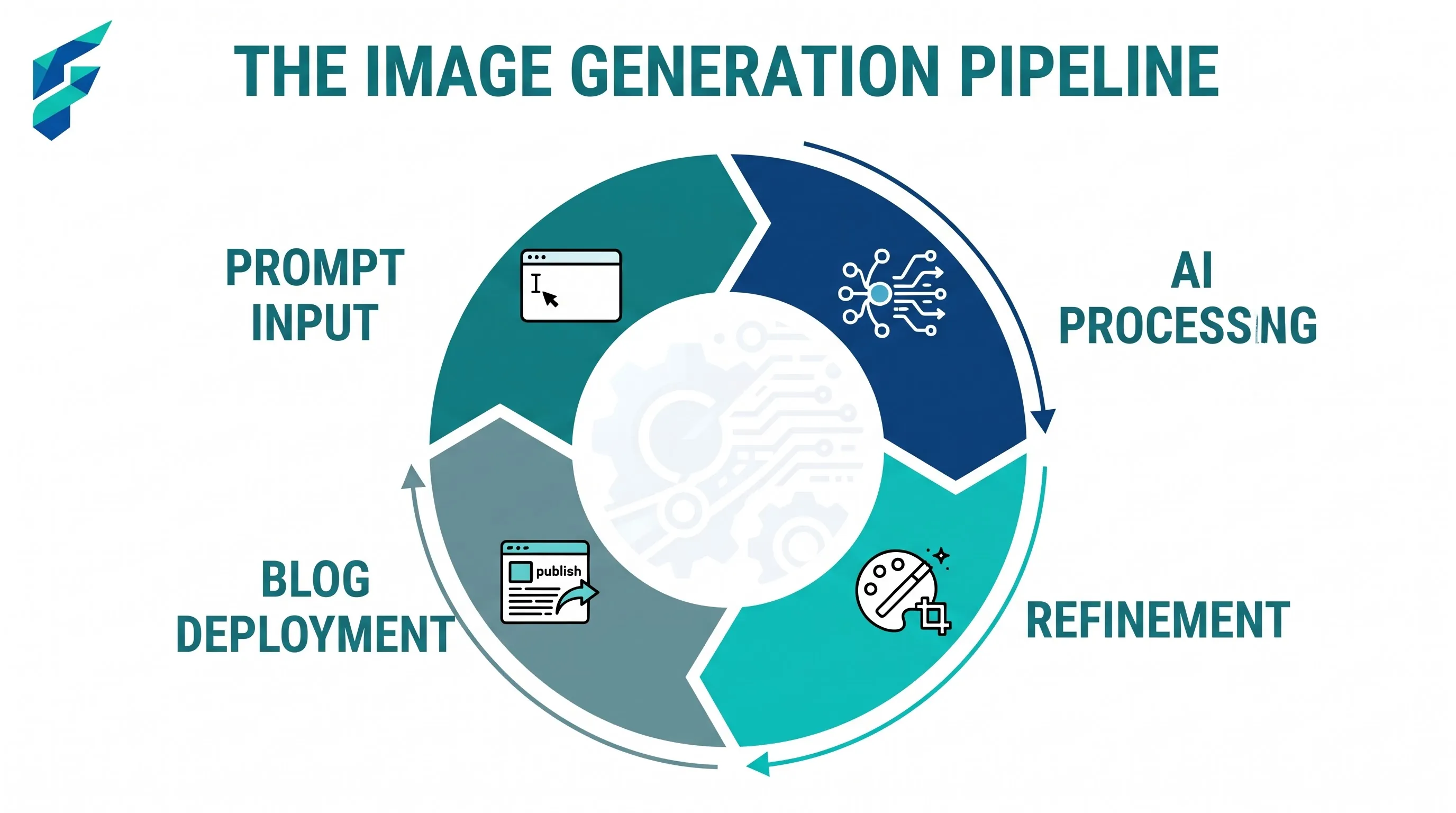
This fits into the broader content pipeline — if you haven't seen it, our guide to building a full content pipeline with free AI tools covers where image generation fits alongside the writing and editing steps, as one piece of a repeatable process rather than a one-off task each time.
We settled on this abstract 3D style because it scales perfectly. Whether the post is about SEO, invoicing, or design, the visual language remains cohesive, building brand recognition without the jarring disconnect of mismatched AI stock photos.
SEO considerations specific to images
Alt text still matters for AI-generated images just as much as any other image — describe what's actually in the image, not just the topic of the post. And keep file sizes reasonable; generated images can come back large, and an unoptimized header image slows down page load in a way that affects both user experience and search ranking.
A quick gut check before you publish
Look at the image without any context — does it look like a real, considered piece of your brand, or does it look like the first result from a prompt? If it's the second one, it's worth a second attempt with a more specific prompt, or a switch to something more abstract that doesn't invite the comparison to a real photo in the first place.
For a broader look at the full toolkit for blog content beyond just imagery, see our complete guide to AI tools for blogging, which covers the writing, research, and publishing side alongside this.