📝 Internal Comms · AI Writing · Small Business
AI Tools for Writing Internal Memos
(What's Actually Worth Your Time)
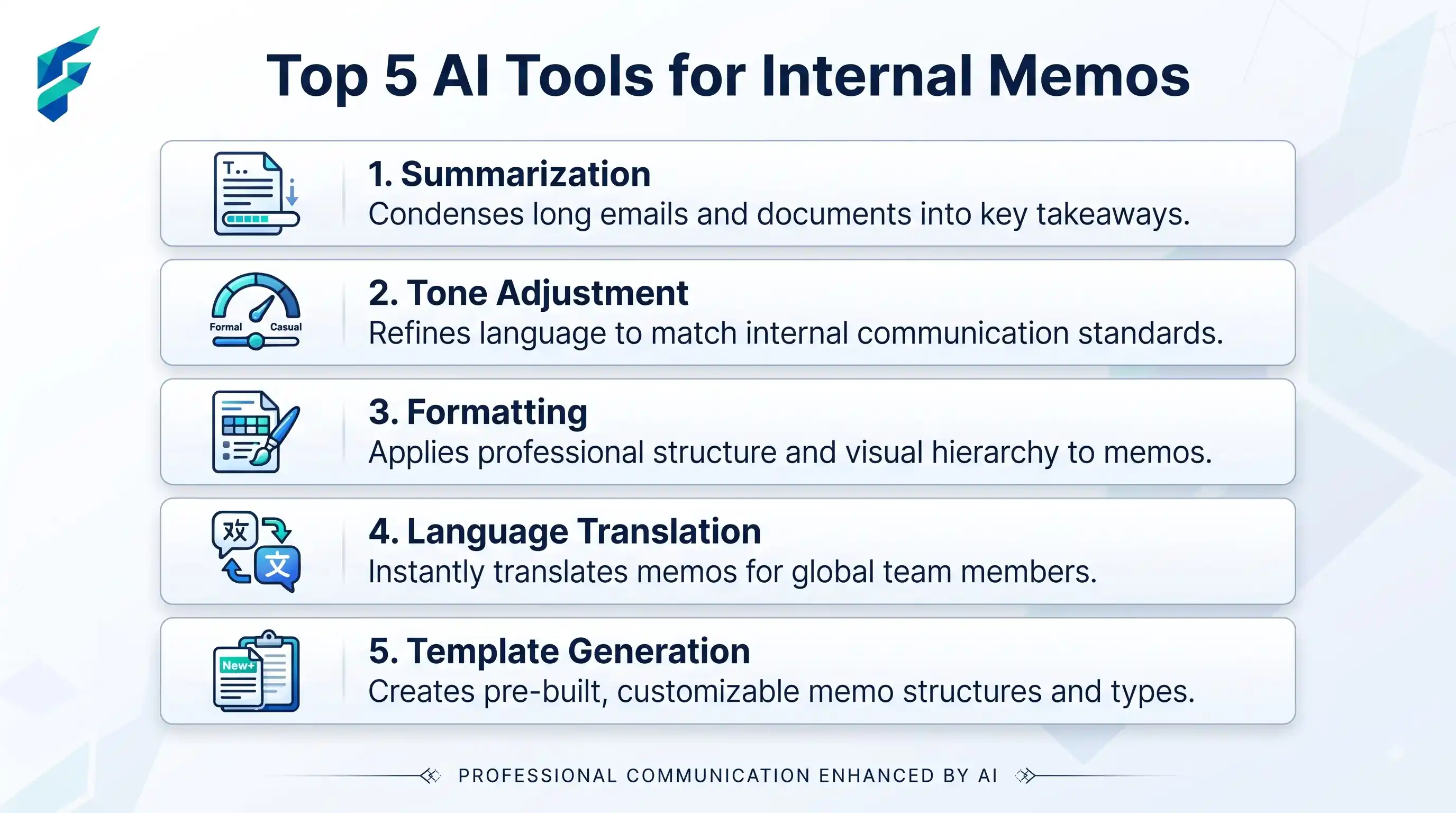
Internal memos are the lifeblood of team alignment, but they are often the most dreaded task for busy leaders. Writing a clear, empathetic, and actionable update about a project pivot, a new policy, or a quarterly win takes mental energy that founders and managers rarely have to spare. AI promises to fix this, but the reality is far more nuanced than "type a prompt, get a perfect memo."
Quick answer: AI writing tools genuinely excel at transforming rough bullet points into polished, structured internal communications. However, they lack the nuanced understanding of your company's culture and unspoken dynamics. AI should act as an editorial assistant that formats your thoughts, not as a ghostwriter generating the core message from a vague prompt.
The Reality of AI in Internal Communications
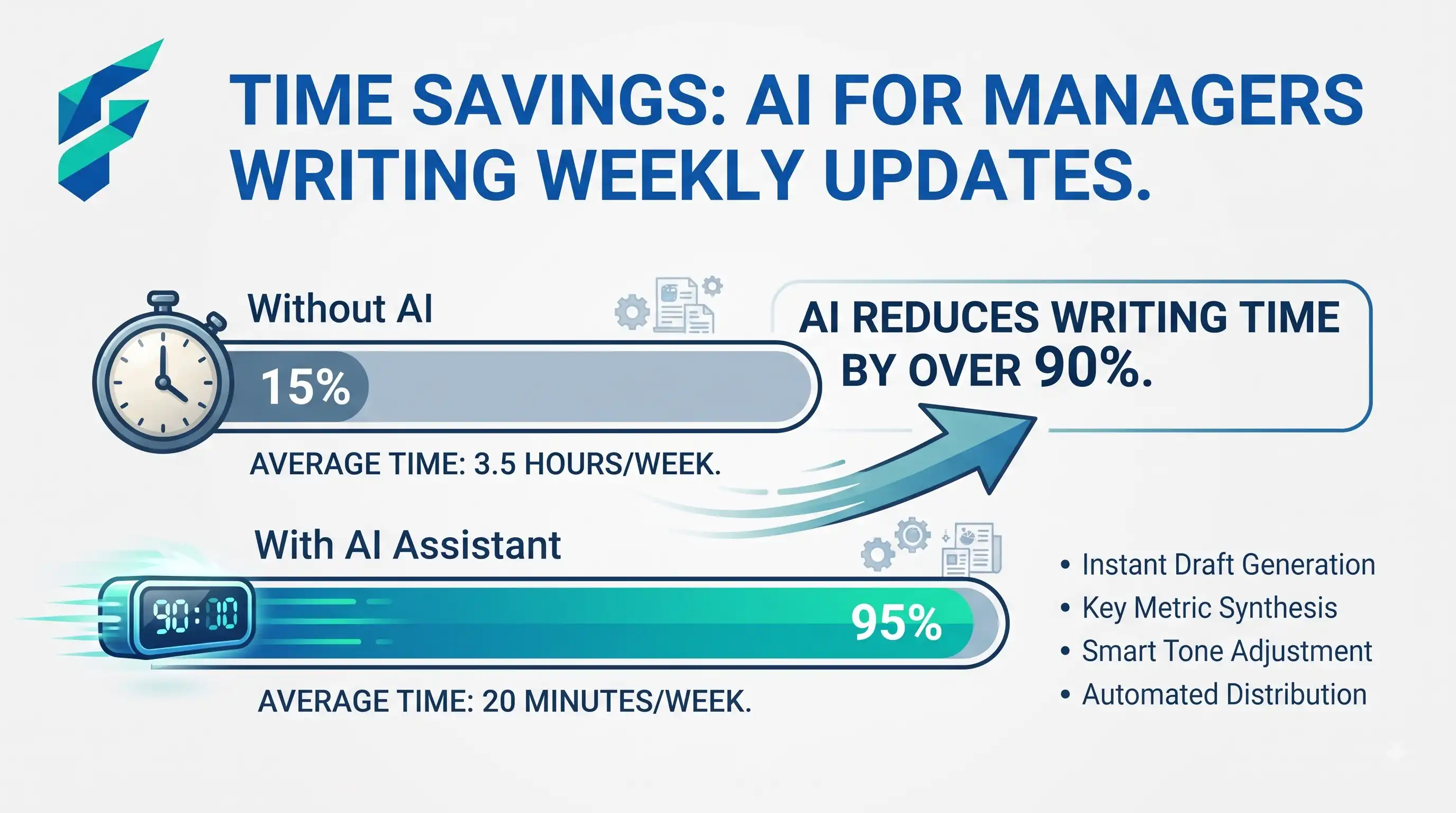
According to recent workplace productivity studies, knowledge workers spend nearly 30% of their workweek just reading and writing internal emails and updates. AI tools like ChatGPT or Notion AI can dramatically reduce this friction. But the most effective small business teams use AI to handle the tedious 40% of the writing process (formatting, grammar, structuring), freeing up the human leader to focus on the critical 60%: the actual strategy, empathy, and nuanced context.
Think of an AI writing assistant not as an autopilot, but as a highly efficient junior communications manager. It can format your messy notes into a crisp weekly update in seconds, but it might accidentally adopt a tone-deaf, overly corporate voice if you aren't guiding it closely.
Where AI Actually Saves Time
Transforming bullet points into polished prose
Leaders often have the key messages in their head but lack the time to write them out elegantly. Feeding AI a list of raw bullet points (e.g., "Q3 revenue up 15%, hiring 2 new devs, office closed next Friday") and asking it to "write an upbeat, transparent weekly update" yields a massive time savings while preserving the leader's core message.
Summarizing long meeting transcripts
Instead of manually combing through a 60-minute all-hands recording, AI can instantly generate a concise summary with clear action items and owners. This is one of the highest-ROI use cases for internal AI, ensuring everyone is aligned without requiring everyone to re-watch the recording.
Standardizing formats and templates
AI excels at enforcing consistency. Whether it's formatting a project post-mortem, a new hire welcome memo, or a quarterly business review, AI can ensure every document follows the company's established structure and tone guidelines.
✅ Pro tip: Great internal communication is only half the battle. Ensure those AI-polished action items are seamlessly tracked by integrating your workflow with robust AI project management tools to guarantee accountability and follow-through.
The Hidden Risks (The "Tone-Deaf" Problem)
The biggest risk of AI in internal communications isn't that it writes poorly; it's that it writes plausibly but inappropriately. If a human manager writes a poorly worded layoff or restructuring memo, it's a human error. If an AI generates a tone-deaf memo and the manager blindly copies and pastes it, the reputational damage is compounded by a lack of basic human empathy.
- Hallucinated Action Items: AI might confidently invent a deadline or assign a task to a person who wasn't even in the meeting, based on pattern-matching rather than actual transcript data.
- Data Privacy Leaks: Pasting confidential financial figures, unreleased product details, or sensitive HR information into a public, free-tier AI model is a massive security risk. Always use enterprise-grade tools with explicit data privacy guarantees for sensitive internal docs.
- Erosion of Leadership Voice: Over-reliance on AI can make a leader's communications sound generic and robotic, eroding the trust and personal connection that teams rely on during challenging times.
I once reviewed an AI-drafted company update where the AI had taken a minor delay in a product launch and framed it with overly dramatic, apologetic corporate jargon ("We deeply regret to inform you of an unfortunate setback..."). The actual situation was a minor, two-day delay that the team was already handling smoothly. The human leader caught it, rewrote it in a calm, transparent tone, and avoided unnecessary panic. AI is a formatting tool, not an emotional intelligence engine.
⚠️ Security Mandate: Never use free, consumer-grade AI tools for confidential internal memos. According to enterprise security best practices, you must use tools with explicit data privacy guarantees (like Microsoft Copilot or paid Notion AI) that guarantee your proprietary data is not used to train their public models.
Comparing the Top Contenders
| Tool | Best For | Typical Cost | Data Privacy |
|---|---|---|---|
| Notion AI | Teams already using Notion; context-aware summarization and drafting | $10/user/mo | High (Enterprise controls available) |
| Microsoft Copilot | Enterprises needing deep integration with Word, Teams, and Outlook | $30/user/mo | Very High (Enterprise-grade security) |
| ChatGPT (Plus/Team) | General drafting, brainstorming, and formatting standalone documents | $20-30/user/mo | Moderate (Team tier offers data privacy controls) |
The Honest Starting Point for Small Teams
Don't overhaul your entire communications process overnight. Start by using AI for low-risk, high-friction tasks. Have your leaders draft their weekly updates as rough bullet points, and use AI solely to format and polish the prose. For meeting notes, use AI to generate the initial summary, but mandate a human review to verify action items and tone.
Once you've established a safe workflow—using secure, paid tools and enforcing mandatory human review—roll it out more broadly. Treat AI as a productivity multiplier that amplifies your leadership voice, not a replacement for it.
If you're looking to optimize your broader operational efficiency, remember that internal comms is just one piece. Ensure your team is also leveraging AI personal assistant tools effectively, and check our Tool Finder filtered for writing and productivity tools to find the right fit for your team's needs.