🔎 Google Search Tips · Hub
Google Search
Tips Guide
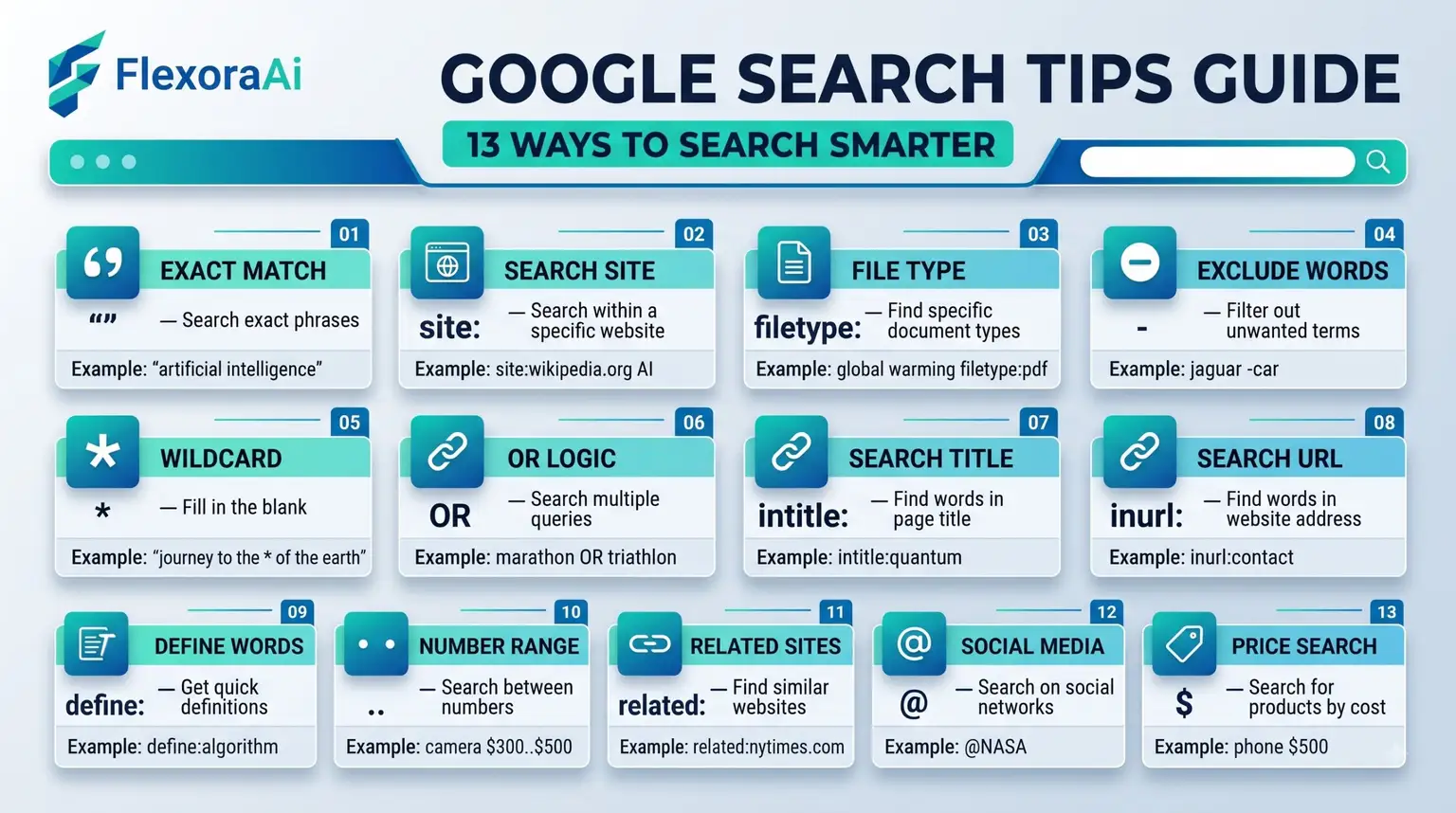
Most people use about a tenth of what Google Search can do. They type words, scan the first results and move on. This guide is the map to everything else: smarter queries, built-in tools, image tricks and a few harmless surprises. It sits beside our complete list of Google Easter eggs, and it links to every guide in the series.
Short answer: Good Google searching comes down to a few habits: use exact phrases, exclude unwanted words, search one site at a time, filter by date and file type, and learn the built-in tools. The guides below teach each one.
Worth knowing
- A handful of operators does most of the work.
- Several operators have been retired, so older guides can mislead.
- Built-in tools such as a timer, calculator and color picker live in the results page.
The five habits that matter most
| Habit | Example | What it does |
|---|---|---|
| Exact phrase | “paper trail” | Matches those words in that order. |
| Exclude a word | jaguar -car | Removes results with that word. |
| One site | site:nasa.gov moon | Searches only that site. |
| One file type | budget filetype:pdf | Finds PDFs. |
| A date range | laptops after:2026-01-01 | Shows newer pages. |
Every guide in this series
| Guide | What it covers |
|---|---|
| Google Doodle archive best games | Playable Doodles worth your time. |
| Google tricks for students | Study tools hidden in Search and Docs. |
| Fun Google tricks to do with friends | Games and tricks for two or more. |
| Funny things to Google | Safe, silly searches. |
| Google advanced search tips | Filters, dates and the Advanced Search page. |
| Google hidden features you didnt know | Built-in tools most people miss. |
| Google image search tricks | Lens, filters and usage rights. |
| Google search operators cheat sheet | What works and what has been retired. |
| Google tricks for Android phone | Phone-specific shortcuts. |
| Google tricks for iPhone | Tips for iPhone users. |
| Google voice search hidden commands | Spoken shortcuts. |
| How to use Google like a pro | A complete skills ladder. |
| Things to search on Google when bored | Rainy-day ideas. |
Where should you start?
- Want better results? Begin with the operators cheat sheet and the advanced search guide.
- Studying? Read the guide for students first.
- Want to have fun? Try the funny searches and the friends guide.
- Looking for images? The image search guide covers Lens and usage rights.
A word about AI search
Search has changed. AI Overviews and AI Mode now sit beside classic results, and other tools such as ChatGPT, Claude and Perplexity answer questions in conversation. Operators and filters still matter, because they let you control what you see. Use AI for a first pass, and classic search for exact facts and sources.
Habits that last
- Search for one idea at a time.
- Read beyond the first result.
- Check dates before you trust a page.
- Open sources instead of trusting a summary.
- Keep a note of the searches that worked.
Free AI tools: Want to go further? Browse our free AI tools for what to try next.
How search has changed
| When | What changed |
|---|---|
| Early 2024 | Google retired the cached link and the cache: operator. |
| September 2024 | Search began linking to older page versions on the Internet Archive. |
| March and May 2025 | AI Mode was announced, then rolled out at Google I/O. |
| September 4, 2026 | Google began replacing Assistant with Gemini on Android. |
Each change nudged people toward a different habit. Archives replaced caches, AI answers joined blue links and assistants became conversational. The skills in this series still matter, because they teach you to ask precisely, whichever tool answers.
How we checked this: We used Google's own guidance on refining searches, Search Engine Journal and TechSpot for retired features, and several operator references that we compared with each other. Where they disagreed, we kept only the points several of them shared. If something here is out of date for you, email ownerflexora.ai@gmail.com and we will fix it.
Your turn: Pick one habit from the table and use it in every search today. Notice how much faster you find what you need.