🧩 Google Easter Eggs · Google Products
Google Products
Easter Eggs List
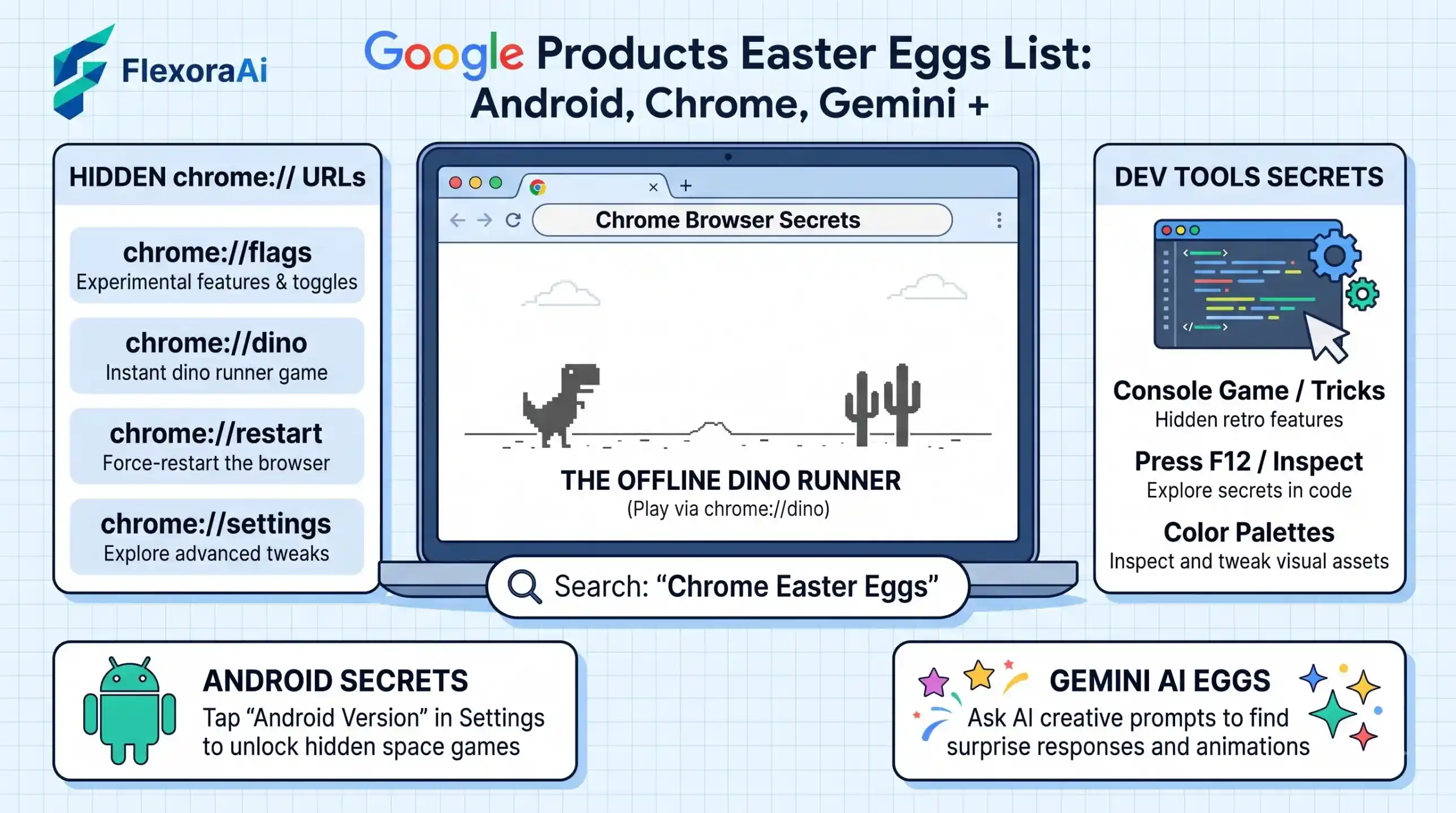
Google hides surprises in far more places than the search box. There are tricks in Android settings, in Chrome's internal pages, in spreadsheet formulas and in the voice commands you speak to a speaker. This page is the map. It sits beside our complete list of Google Easter eggs, and it links to a guide for every product we cover.
Short answer: Product Easter eggs come in five kinds: a tap (Android's version number), a URL or shortcut (Chrome's internal pages), a formula (Google Sheets), a voice command (Assistant and Home) and a prompt (Gemini and AI Mode). The guides below cover each one.
Worth knowing
- Each product hides its surprises in a different way.
- Google began replacing Assistant with Gemini on Android on September 4, 2026.
- Where we couldn't verify an Easter egg, the guide says so.
Five kinds of hidden extras
| Kind | Where you meet it | Example |
|---|---|---|
| A tap | Settings | Tap the Android version number repeatedly. |
| An address | Chrome's address bar | Type chrome://dino for the offline game. |
| A formula | A spreadsheet cell | Hidden functions in Google Sheets. |
| A voice command | A phone or speaker | “Hey Google, tell me a fun fact.” |
| A prompt | An AI chat box | Playful requests to Gemini or AI Mode. |
Every guide in this family
| Guide | What it covers |
|---|---|
| Google Gemini Easter eggs | What is real, what is documented and what is just a prompt. |
| Google Sheets Easter eggs | Hidden functions, the PRIDE rainbow and useful URL shortcuts. |
| Google Assistant Easter eggs | Fun commands, and what changes as Gemini takes over. |
| Google Home Easter eggs list | Voice commands for smart speakers and displays. |
| Android Easter eggs list | Every version, and how to find yours. |
| Chrome hidden features and flags | Internal pages, flags and the warnings that come with them. |
| Google AI Mode Easter eggs | What AI Mode is and which prompts are fun to try. |
| Google Calendar Easter eggs | Small surprises and shortcuts in Calendar. |
| Google Docs Easter eggs | Hidden shortcuts and playful touches in Docs. |
| Google Earth flight simulator trick | Flying over the planet from your desktop. |
| Google Keep hidden tricks | Notes, reminders and search shortcuts. |
| Google Lens hidden tricks | Searching with your camera. |
| Google Photos Easter eggs | Surprises tucked inside your photo library. |
| Google Street View Easter eggs | Hidden details along the road. |
| Google Translate beatbox trick | A famous musical quirk of Translate. |
What still works in 2026?
| Product | Status | What to know |
|---|---|---|
| Android | Works | Tap the version number in About phone, though steps vary by phone. |
| Chrome | Works | Flags and internal pages remain, but flags change by version. |
| Google Sheets | Works, with caveats | Several fun functions are undocumented and may change. |
| Assistant | Being replaced | Gemini takes over on Android; some commands differ. |
| Gemini and AI Mode | Prompt-based | Answers vary, so there are no fixed Easter eggs. |
Where to start depends on your device. Android owners can try their phone's hidden game in a minute. Spreadsheet fans will enjoy the Sheets functions. If you're curious about what the voice assistants will sound like from here on, read the Assistant and Gemini guides first.
How to find an Easter egg yourself
- Look for a repeated action, such as tapping the same label many times.
- Try the product's name or version in a search or voice command.
- Look at a product's internal pages and settings for oddly named options.
- Check a reliable source for a date before you trust a claim.
- Write down what worked, so you can show a friend.
A few rules of thumb
- Never paste code you don't understand. That includes console commands and formulas from strangers.
- Read warnings. Chrome flags and developer tools come with good reasons for caution.
- Expect change. Easter eggs disappear when products are redesigned or retired.
- Compare with other assistants. Siri, Alexa and ChatGPT have their own surprises, and the habits carry over.
Free AI tools: Enjoy the hunt? Explore our free AI tools for more to try.
Why companies hide things at all
The term “Easter egg” was popularized by a 1979 Atari game, Adventure, in which a programmer hid his name in a secret room because the company didn't credit developers. The idea stuck: a hidden extra is a small signature from the people who made the thing.
Google has kept that spirit for decades. Easter eggs cost little, travel by word of mouth and tell users that real people built the product. They are also a way for engineers to show off, which is why many of them come from side projects and anniversaries.
How we checked this: We used Android Authority and TechRadar for Android, Chrome's own flags warning as quoted by Chrome Unboxed, Ben Collins and an independent analysis for Sheets, and Business Standard and Android Authority for the Assistant changeover. The product guides listed above are planned in this series, so some may still be on their way. If something here is out of date for you, email ownerflexora.ai@gmail.com and we will fix it.
Your turn: Pick the product you use most, open its guide and find one thing you didn't know. Then show it to someone else.